

The WinWin app brings the full excitement of casino games and sports betting directly to your smartphone. Available for both Android and iOS devices in Ghana, it offers a seamless, on-the-go gaming experience. Best of all, the app is completely free to download and easy to install. Whether you’re at home or on the move, you can place bets, play slots, and manage your account with just a few taps.
Why Download the WinWin App? Benefits for Ghanaian Players
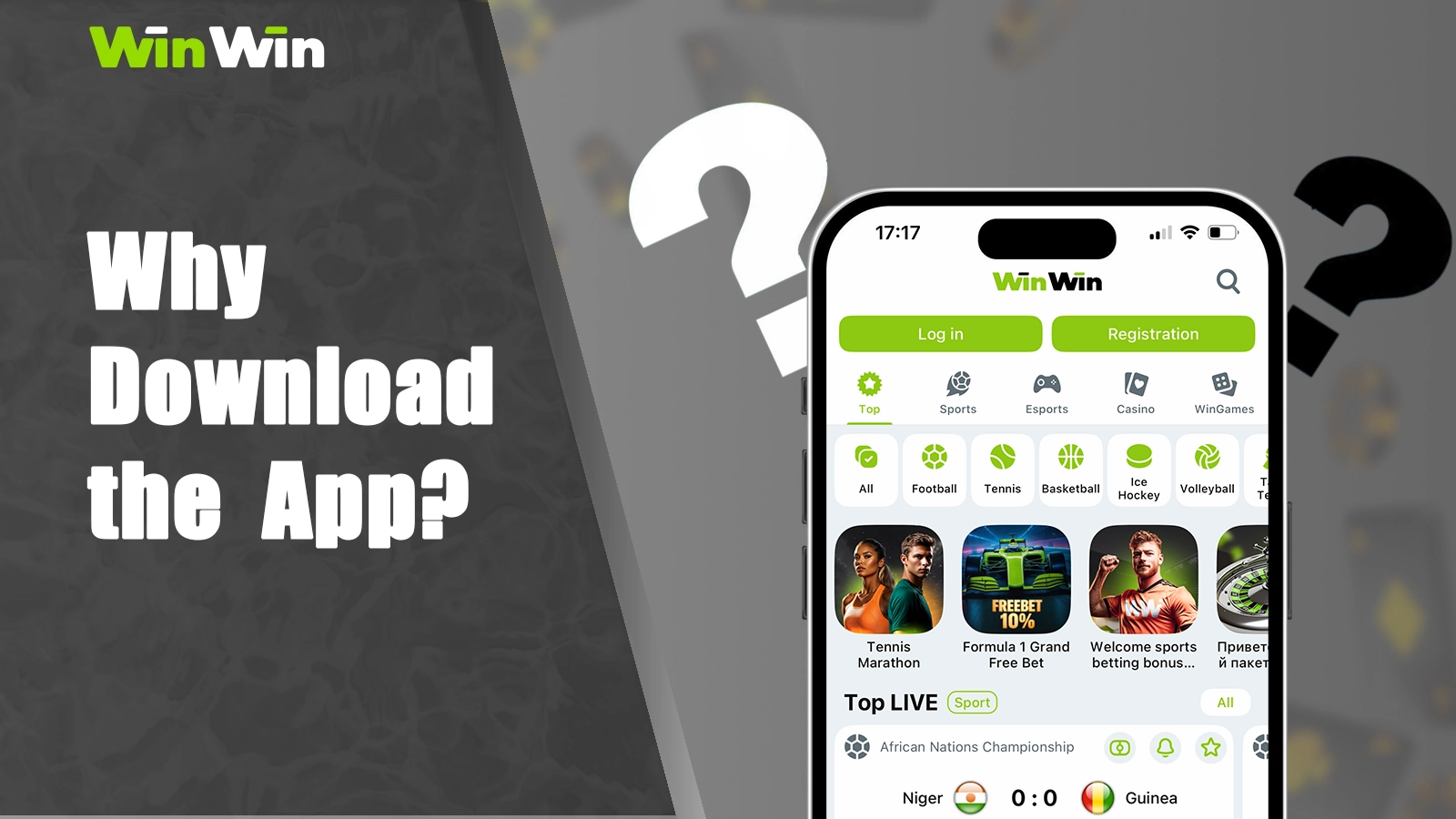
Accessing WinWin through the mobile app rather than a browser offers several key advantages tailored for bettors in Ghana. Here are some of the top benefits:
- Convenience: Bet anytime, anywhere without opening a web browser;
- Push Notifications: Receive instant alerts about upcoming matches, bonus offers, and big wins;
- Faster Loading Speeds: The app is designed to load quickly and efficiently, making the betting experience more seamless;
- User-Friendly Interface: The WinWin app is designed with user-friendly navigation and intuitive controls for a smooth betting experience;
- WinWin App Download Free Procedure: The app is absolutely free and can be downloaded on both iOS and Android devices.
WinWin App Download for Android Devices: Complete Guide
Below is everything you need to know to install WinWin on your Android device, from checking compatibility to troubleshooting common issues.
Android System Requirements and Compatibility
Before starting the WinWin app download process, confirm that your device meets these minimum specifications:
| Requirement | Minimum |
| Android Version | 5.0 or higher |
| Available Storage | At least 150 MB free |
| RAM | 2 GB or more |
| Compatible Devices | Samsung Galaxy, Huawei, TECNO, Infinix, and other Android smartphones and tablets |
Installing WinWin APK on Android: Step-by-Step Process
After completing the WinWin APK download, follow these steps to install the app:
- Enable Unknown Sources: Go to Settings → Security → Install unknown apps, select your browser, and toggle on Allow from this source;
- Run the APK installer: Open your Downloads folder and tap the WinWin APK. Hit Install and wait for the process to finish;
- Launch the App: Tap Open or find the WinWin icon on your home screen.
Troubleshooting Android Installation Issues
If you encounter problems, here are common solutions:
- Installation Blocked: Ensure Unknown Sources is enabled for your browser;
- Insufficient Storage: Free up space by deleting unused apps or files;
- App Crashes on Launch: Check that your Android version is up-to-date and meets the minimum requirement;
- Download WinWin App Failed: Verify your internet connection and try again using a stable Wi-Fi network.
WinWin App Download for iOS Devices: iPhone and iPad Guide
The WinWin download iOS process is straightforward and easy to follow. The WinWin app is available for download on both iPhone and iPad devices, making it accessible to a wide range of users.
iOS System Requirements and Device Compatibility
Make sure your iPhone or iPad is supported before proceeding:
| Requirement | Minimum |
| iOS Version | iOS 13.0 or higher |
| Compatible Models | iPhone 6s and newer, iPad Air 2 and newer |
| Available Storage | At least 150 MB free |
Downloading WinWin App from App Store
Follow these simple steps to install WinWin from Apple’s official storefront:
Access the TestFlight Page:
Open the TestFlight page for WinWin in Safari and tap “View in App Store”;
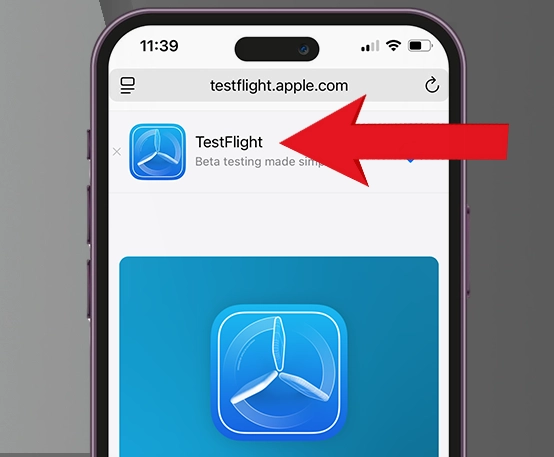
Download TestFlight:
In the App Store, tap “Get” to download TestFlight, then tap “Open” once it’s installed;
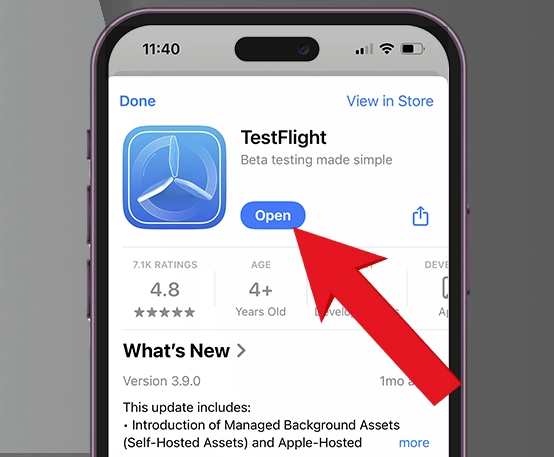
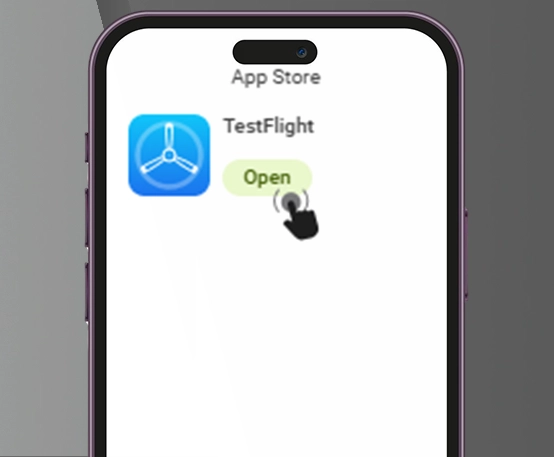
Launch TestFlight:
Open TestFlight after installation is complete;
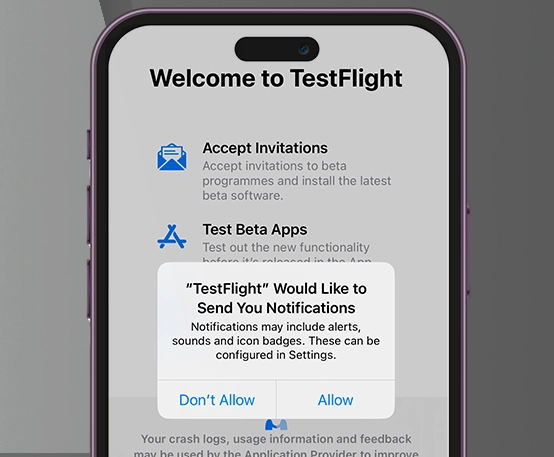
Set Up TestFlight:
On the first launch, tap “Continue” and choose whether to allow TestFlight to send notifications;
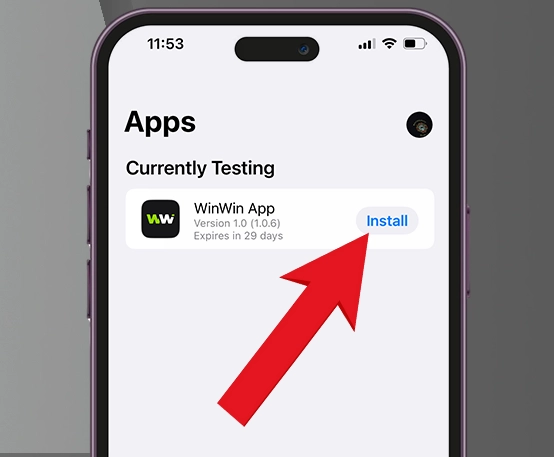
Find and Install WinWin:
In TestFlight’s Apps list, locate WinWin and tap “Install”;
Open the WinWin Beta:
Once the beta finishes installing, tap “Open”;
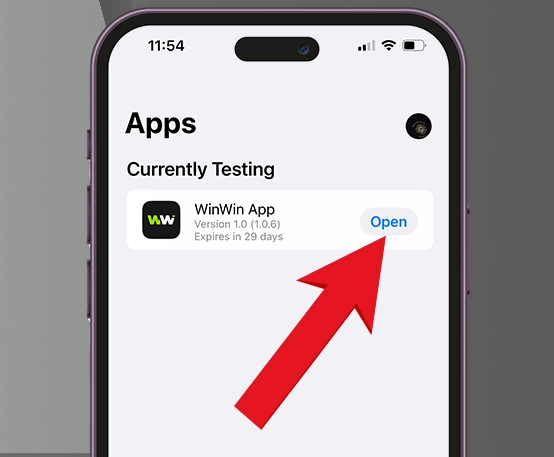
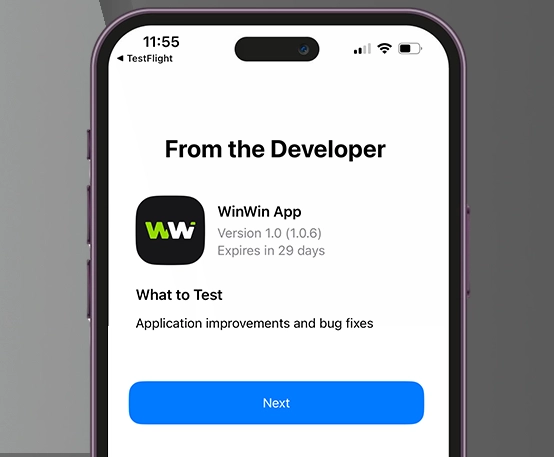
Navigate the Preview Screen:
On the WinWin preview screen, tap “Next”;
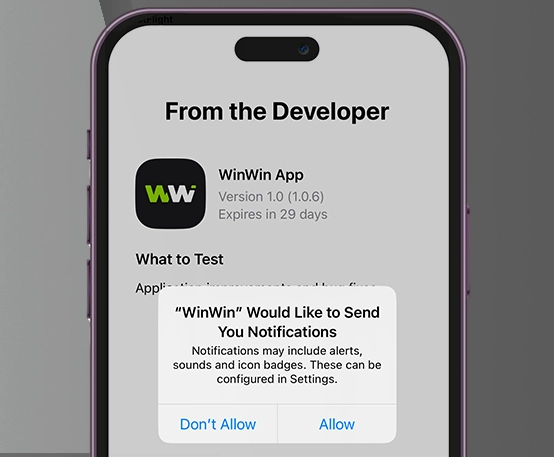
Enable Notifications for WinWin:
When prompted, allow WinWin to send notifications to stay updated on bonuses and updates;
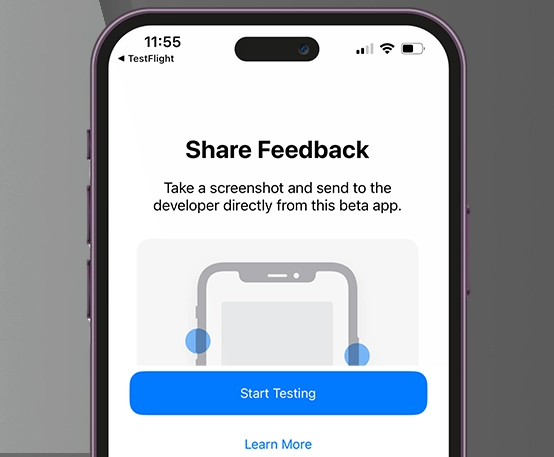
Start Testing:
Tap “Start testing” to launch WinWin and begin placing bets, playing games, and chasing big wins!
Alternative iOS Installation Methods
If WinWin isn’t visible in the Ghanaian App Store, you can try:
- Changing Your Region: From your device’s Settings, navigate to General > Language and Region > iPhone Language. Select a different country or region that supports WinWin and follow the same steps as above.
- Using a VPN: A virtual private network (VPN) can help you access apps that may not be available in your region. Simply download a VPN app, connect to a server in a different location, and then try searching for WinWin again.
WinWin App Login and Account Setup on Mobile
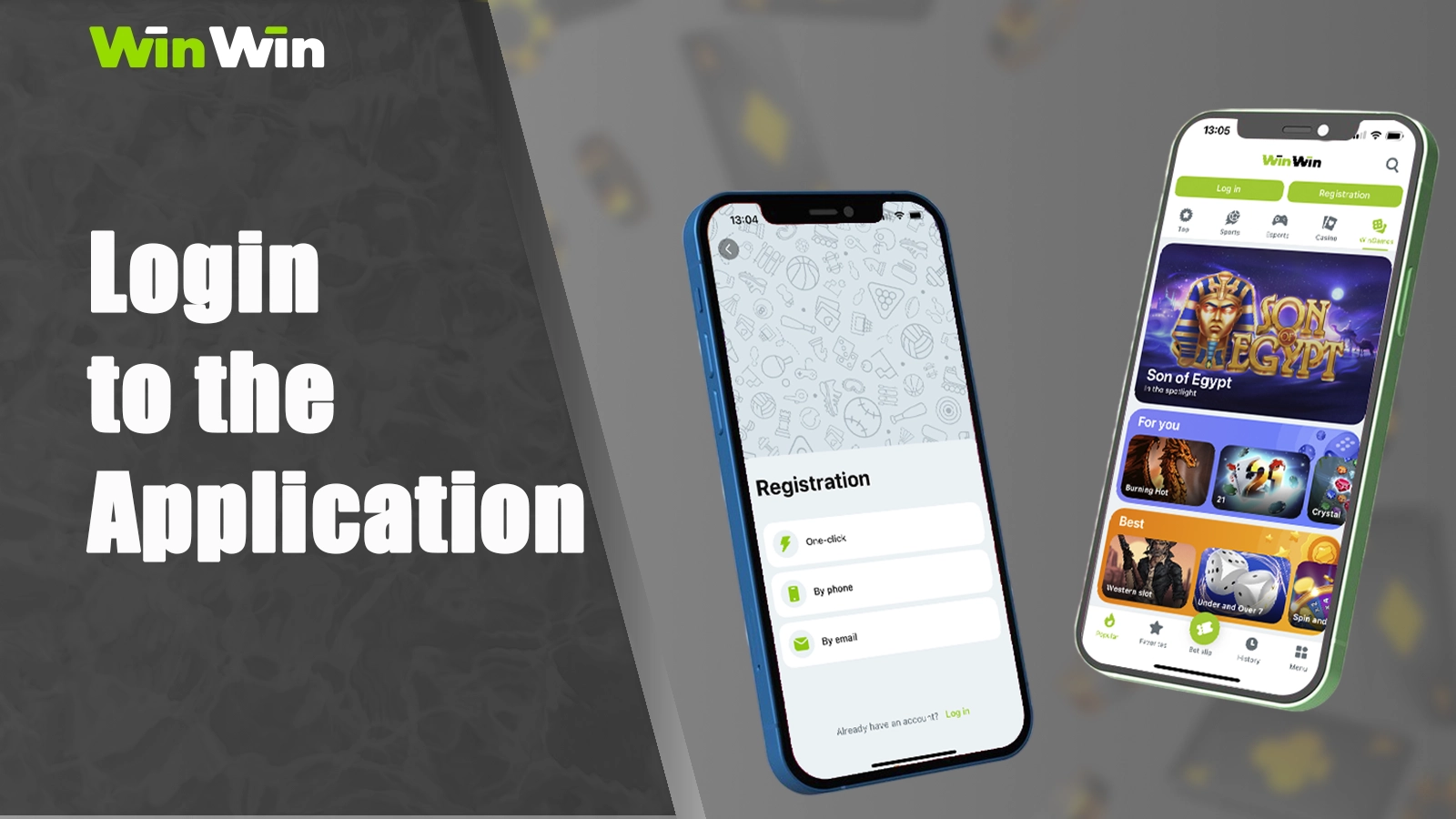
Getting started with WinWin Ghana is designed to be seamless, whether you’re new to the platform or transitioning from another service. With just a few easy steps, you can set up your account and explore all the benefits it has to offer.
How to Register on WinWin Ghana
Registering on WinWin Ghana is quick and straightforward, allowing you to start enjoying its features in no time.
Open the Registration Form:
Launch the WinWin app, tap Registration, and select your preferred method — email, phone number, or social login (Google, X (formerly Twitter), Twitch, or Telegram);
Fill in Your Details:
Enter your name, date of birth, phone number, and other required information;
Set Up Password and Promo Code:
Create a strong password, apply your promo code, and choose your welcome bonus;
Confirm and Verify:
Tap Register, then verify your phone/email and upload your ID or proof of address to enable withdrawals.
Login & Account Security
To access your account quickly and securely, follow the steps below to sign in and manage your preferences. Ensuring your account remains protected is as simple as implementing a few key measures.
Sign In:
Open the WinWin app, tap Log In, and enter your phone number or email along with your password (or use a social login option).
Two-Factor Authentication:
If 2FA is enabled, enter the code sent to you via SMS or email.
Stay Logged In:
Select Remember Me to avoid logging in every time.
Forgot Password?:
Can’t remember your WinWin app login credentials? Tap “Forgot your password” option and follow the steps to reset it.
WinWin App Features and Functionality Overview
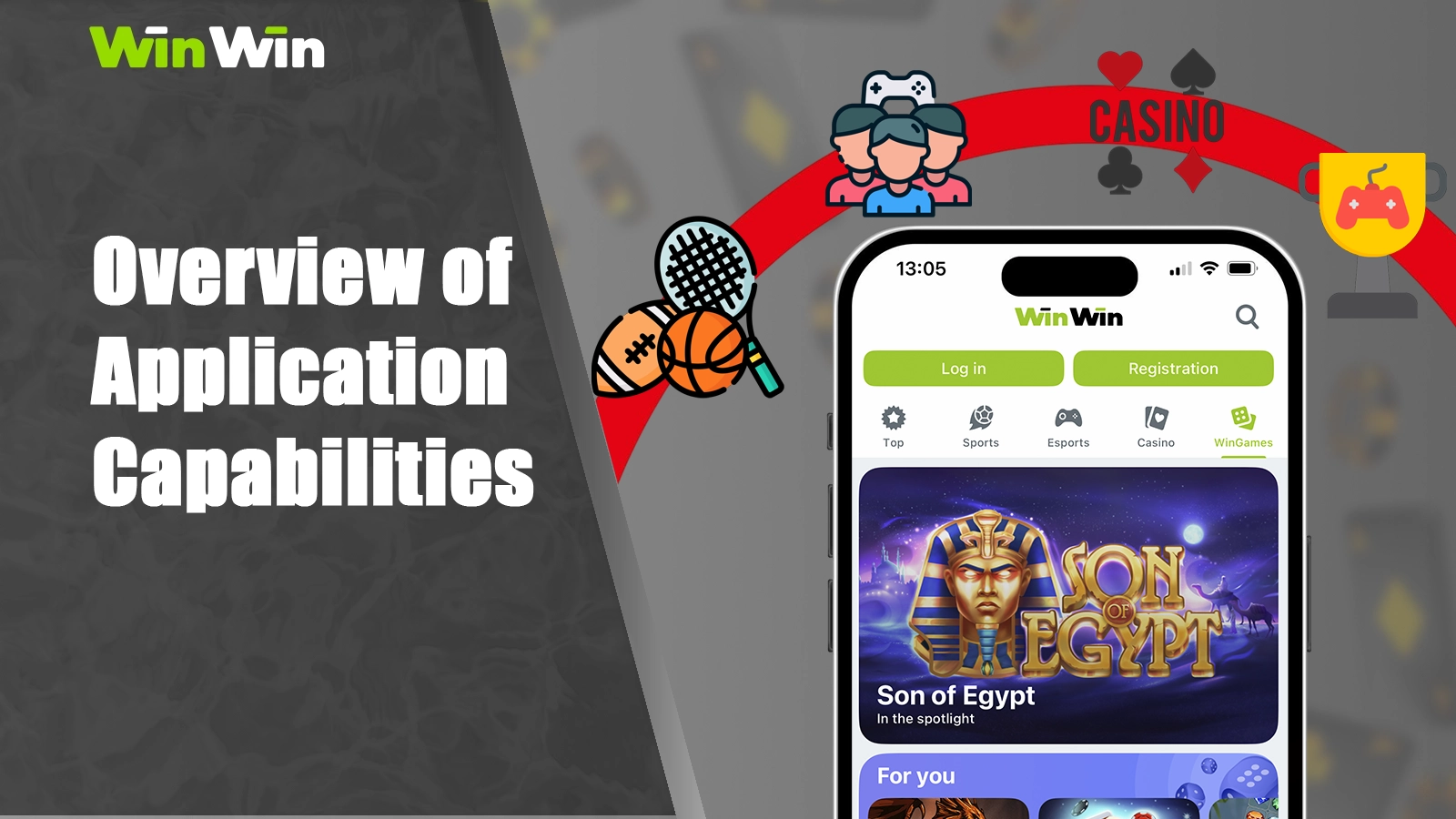
The WinWin mobile app brings the full power of a modern betting platform straight to your pocket. Every feature, from thrilling casino action to streamlined payment methods, is designed for intuitive use on the go. Below is a detailed look at what you can do inside the app:
- Casino Games: Enjoy a vast selection of slot machines, table games and live-dealer experiences, all optimized for mobile play. Whether you prefer classic fruit slots or high-definition video slots with bonus rounds, there’s something for every taste. Table game fans can take their pick of blackjack, roulette and baccarat variations, while live-dealer streams put you in the heart of a real casino atmosphere;
- Sports Betting: Access hundreds of pre-match markets across football, basketball, tennis and more, with everything from match-winners and totals to exotic handicaps. Detailed statistics and head-to-head data help you make informed selections, while customizable bet slips let you build singles, accumulators or system bets in just a few taps;
- Live Betting: Place wagers on events as they unfold with WinWin’s in-play betting section. Live scoreboards give you real-time insights into the action, so you can jump in at the perfect moment. The app automatically updates odds after every goal, point or serve, and one-click bet placement ensures you never miss an opportunity to back your predictions during the heat of competition;
- Account Management: Keep track of your wagering history, open bets and transaction records in a unified dashboard. You can set deposit limits, view loyalty status and browse your personal profile without leaving the app. Built-in tools let you adjust notification preferences, enable two-factor authentication, and even self-exclude or take a break, putting full control of your play and safety features in your hands;
- Mobile Payments: Deposit and withdraw funds instantly using all major Ghanaian methods: MTN, AirtelTigo Money, Telecel, BinancePay and cryptocurrencies. The app securely stores your preferred payment details for one-tap top-ups, while layered encryption keep your financial data protected.
Casino Games Available on WinWin App
Here’s an overview of the main casino categories and the most popular titles available at WinWin:
| Category | Popular Games |
| Slots | Gates of Olympus, Midas Hand of Fortune, Thunder Coins, Starlight Princess 1000 |
| Table Games | Blackjack, Roulette, Baccarat |
| Live Dealers | Live Blackjack, Live Roulette, Dream Catcher, Crazy Time, XXXtreme Lightning Roulette |
Sports Betting Features in the WinWin Mobile App
WinWin’s sports section caters to both pre-match and in-play fans. With live betting, you can place bets as the action happens on football, tennis, and basketball games. Real-time odds updates and market movements are displayed through a dynamic odds system, keeping you informed. Additionally, bet slip management allows you to effortlessly add, adjust, or cash out selections before events begin.
Mobile App Security and Safety Features
Security is a top priority at WinWin to keep accounts and funds protected. SSL encryption secures all data transmissions using industry-standard protocols. Biometric login options, such as fingerprint or Face ID, provide quick and secure access. Two-factor authentication adds an extra layer of protection for actions like withdrawals and password changes, ensuring peace of mind at every step.
Mobile Payment Options and Banking in the App
Depositing and withdrawing funds through the WinWin app supports the most popular Ghanaian methods. Follow these simple steps to easily deposit funds into your WinWin account and enjoy seamless transactions.
Launch and Sign In:
Open the WinWin app and log in with your registered email or phone number and password;
Open Wallet:
Click the “Make a Deposit” button at the top to open your wallet tab;
Pick a Method:
Choose from MTN, AirtelTigo Money, Telecel, or BinancePay;
Enter Amount:
Input the amount you wish to deposit, ensuring it falls within the stated limits;
Confirm and Authenticate:
Review your entries, tap Confirm, and wait for the transaction to process;
Verify Balance:
After processing, your new balance appears at the top of the screen.
Below is a detailed table outlining the available deposit methods, along with their respective limits, processing times, and fees:
| Method | Minimum Deposit | Maximum Deposit | Processing Time | Fee |
| MTN | GHS 100 | GHS 30,000 | Instant | Free |
| AirtelTigo Money | GHS 100 | GHS 30,000 | Instant | Free |
| Telecel | GHS 100 | GHS 30,000 | Instant | Free |
| BinancePay | GHS 10.5 | GHS 105,000 | Instant | Free |
Mobile-Exclusive Bonuses and Promotions

For new players in Ghana, WinWin provides two great welcome bonuses — one for sports betting fans and another for casino lovers. Both bonuses are automatically credited after you register, complete your profile, opt into the bonus in My Account, and make your first qualifying deposit. Install the WinWin app, register and claim your bonus!
Mobile Welcome Bonus and New User Offers
Compare the features of the WinWin’s Sportsbook First-Deposit Bonus and the Casino Welcome Package to choose the one that best suits your gaming preferences.
| Feature | Sportsbook First-Deposit Bonus | Casino Welcome Package |
| Bonus Offer | 100% match up to GHS 1,209 | Up to 200% match plus a total of 150 free spins over your first four deposits |
| Minimum Deposit | GHS 12.08 | GHS 86 on deposit 1 (GHS 172 on deposits 2–4) |
| Maximum Bonus | GHS 1,209 | GHS 1,717 per deposit (available up to four times) |
| Wagering Requirement | 5× the bonus amount on accumulator bets | 35× the bonus amount on eligible casino games |
| Qualifying Bets | Accumulators must have at least 3 legs with minimum odds of 1.40 | While clearing the bonus, individual bets/spins cannot exceed GHS 86 |
| Free Spins | N/A | 35 FS on your 2nd deposit, 40 FS on your 3rd, and 45 FS on your 4th (selected Pragmatic Play/Spinomenal games) |
| Expiry | Must fulfill wagering within 7 days | Must fulfill wagering within 7 days |
| Key Restrictions | One bonus per customer; credited to sports wallet only | Bonuses must be used in order |
| Withdrawal Conditions | Withdrawals allowed once all wagering requirements are met | Withdrawals allowed once all wagering requirements are met |
Comparing WinWin App vs Website Experience
When deciding how to access WinWin, users compare the experience of using the mobile app versus the website. The choice largely depends on personal preferences and priorities, such as convenience, speed, and features.
| Feature | Mobile App | Mobile Website |
| Convenience | One-tap access, installed icon on home screen | Requires opening a browser and logging in |
| Push Notifications | Real-time alerts for odds, results, and promos | Not available |
| Loading Speed | Optimized for mobile, faster load times | Dependent on browser performance |
| Navigation | Intuitive touch-based menus | Browser-driven interface |
| Compatibility | Runs on supported Android and iOS versions | Works on almost any device with a browser |